
Questions from a job posting
Turn a job posting into a structured interview
Paste a job posting URL or its text. AI Interview reads the responsibilities and requirements and drafts the interview questions and the competencies to score. You review, edit and share the link.
Works with job board URLs, career pages or pasted text
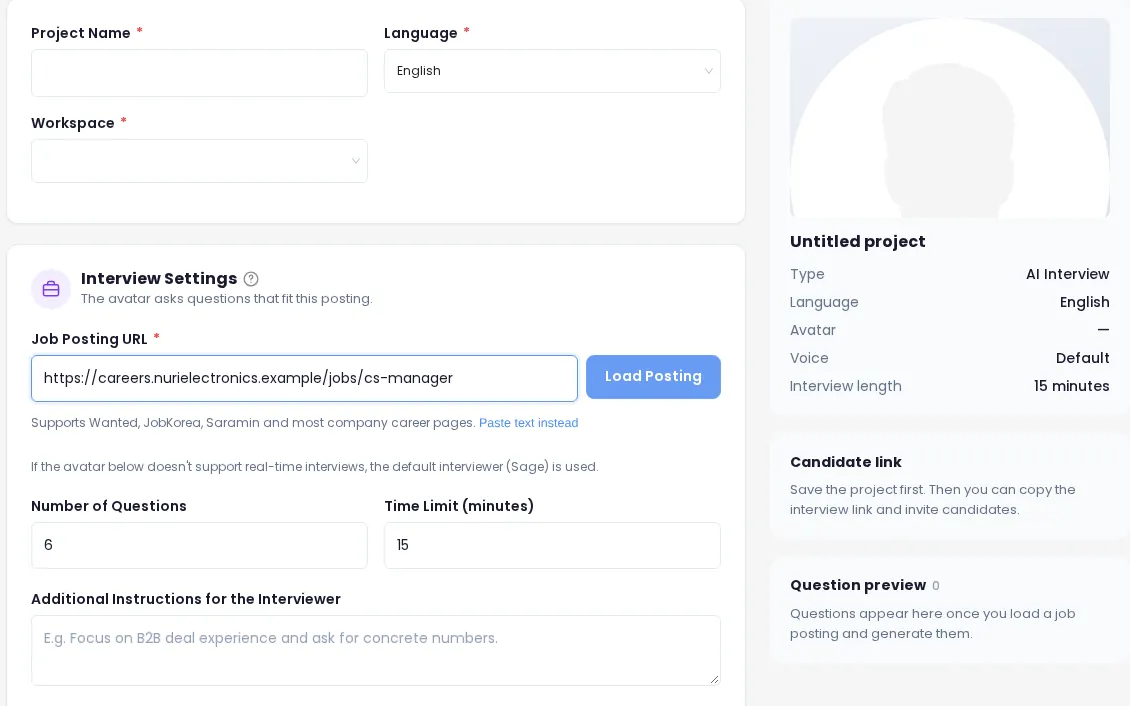
How it works
From posting to question set
- 1
Add the posting
Enter the job posting URL and load it, or switch to pasting the text. No posting yet? Write the job details yourself.
- 2
Check what was read
The posting’s responsibilities and requirements are shown in their own fields, so you can correct anything before questions are written.
- 3
Generate questions
Questions and the competencies to evaluate are drafted from those details, in your interview language.
- 4
Edit and save
Reword, delete, add or regenerate questions. Save the project and the interview link is ready to share.
Input
Use the posting you already have
There’s no new template to fill in. The job posting you published is the starting point, so the interview matches what candidates applied for.
- Job posting URL from major job boards and many company career pages
- Pasted posting text when a page can’t be read
- Your own job details when there’s no posting yet
- Responsibilities and requirements pulled into editable fields
Output
What you get from one posting
Role-specific questions
Questions matched to the duties and requirements in the posting, 6 by default and anywhere from 3 to 12.
Competencies to score
The competencies each answer is evaluated against, so every candidate is scored on the same criteria.
Room for follow-ups
Planned questions are the backbone. With follow-ups on, the interviewer adds up to one follow-up per question based on the answer.
Editing
You stay in control of every question
AI drafts, people decide. Shape the interview until it sounds like your team.
| Control | What it does |
|---|---|
| Edit, add, delete | Change the wording of any question, write your own or remove ones you don’t need. |
| Regenerate | Get a fresh set of questions from the same posting. |
| Number of questions | Set between 3 and 12. Each question takes about 2 minutes, so match it to the time limit (5–60 minutes). |
| Required questions | Up to 5 must-ask questions for the position, asked in every interview. |
| Evaluation criteria | Up to 10 criteria for the position, used when scoring the report. 200 characters each. |
| Instructions for the interviewer | Steer the conversation, e.g. “Focus on B2B deal experience and ask for concrete numbers.” |
| Language check | Questions follow the interview language (12 options). A mismatch is flagged so you can regenerate. |
Resume-based questions
Questions about this candidate, not just this role
When resume questions are on, candidates can upload a resume on the start screen. The interviewer then adds 2–3 in-depth questions based on it right after the self-introduction, so you hear about the projects and roles they actually listed.
- PDF, DOCX or TXT, up to 5MB
- The resume file itself is not stored
- Optional for the candidate: they can start without one
- Turn resume questions off for any project
Plans
Question tools by plan
| Free | Recruiter | Hiring Team | Enterprise | |
|---|---|---|---|---|
| Questions from a job posting | ✓ | ✓ | ✓ | ✓ |
| Custom questions & AI follow-ups | Up to 5 questions | ✓ | ✓ | ✓ |
| Interview length | Within 10 min total | Up to 60 min | Up to 60 min | Up to 60 min |
| Active projects | 1 | 50 | Unlimited | Unlimited |
Next
Where the questions go next
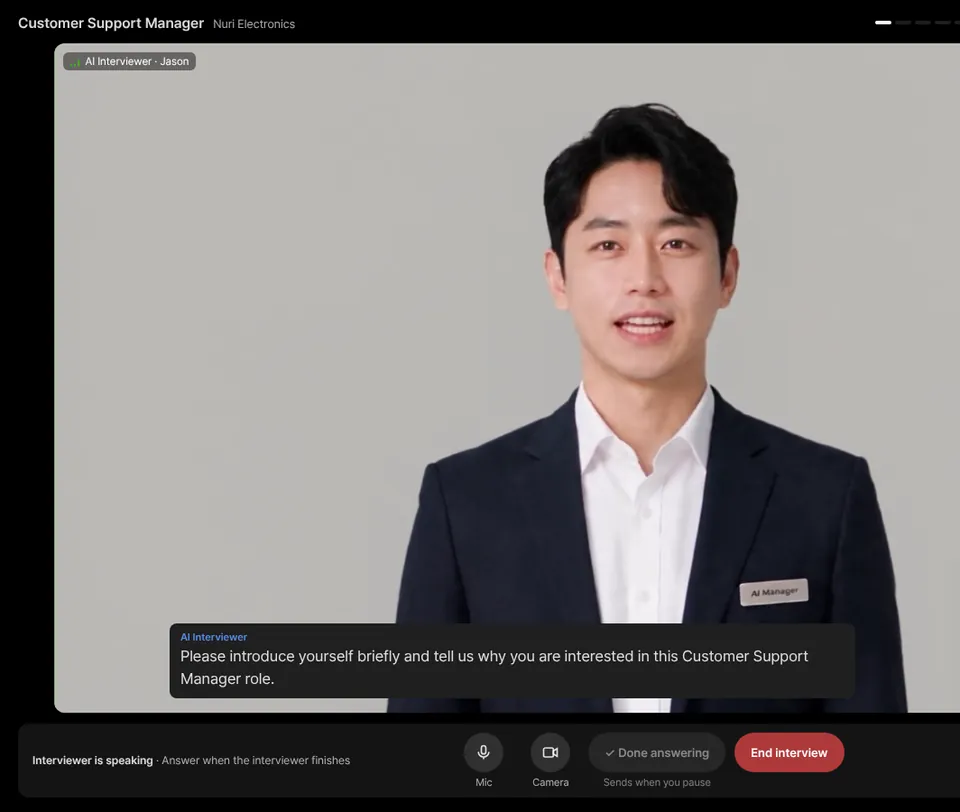
Asked by an AI interviewer
A talking avatar asks your questions and follows up on each answer.
AI interviewerScored in the report
Each question gets its own score with the answer evidence behind it.
Scored reportsThe full workflow
From posting to invite link to hiring decision, step by step.
How it worksFrequently asked questions
Which job postings can it read?
Major job boards and many company career pages can be read from the URL. If a page can’t be read, paste the posting text instead, or write the job details yourself.
Can I edit the generated questions?
Yes. Every question is a draft. Edit the wording, delete questions, add your own or regenerate the set before you share the interview link.
How many questions can an interview have?
Between 3 and 12, with 6 as the default. On the Free plan you can customize up to 5 questions; Recruiter and above have no custom-question limit within that range.
What are required questions?
Must-ask questions for a position. You can set up to 5, and every candidate for that position is asked them, whatever else the AI generates.
How do resume-based questions work?
If resume questions are on and the candidate uploads a resume (PDF, DOCX or TXT, up to 5MB) before starting, 2–3 in-depth questions based on it are added right after the self-introduction. The file itself is not stored.
Can I generate questions in another language?
Yes. Questions follow the interview language you set for the project, one of 12. If the questions don’t match the interview language, you’ll be prompted to regenerate them.
Paste a posting and see your questions
Create your first interview from a job posting. Free, no card needed.