
API & MCP
Run first-round interviews from your own systems
Create interviews from a job posting, invite candidates and read scored reports without opening the dashboard. Use the REST API from your ATS or scripts, or connect an AI agent through the MCP server.
REST API and MCP are included from the Hiring Team plan.
What you can automate
The whole first round, end to end
Create from a posting
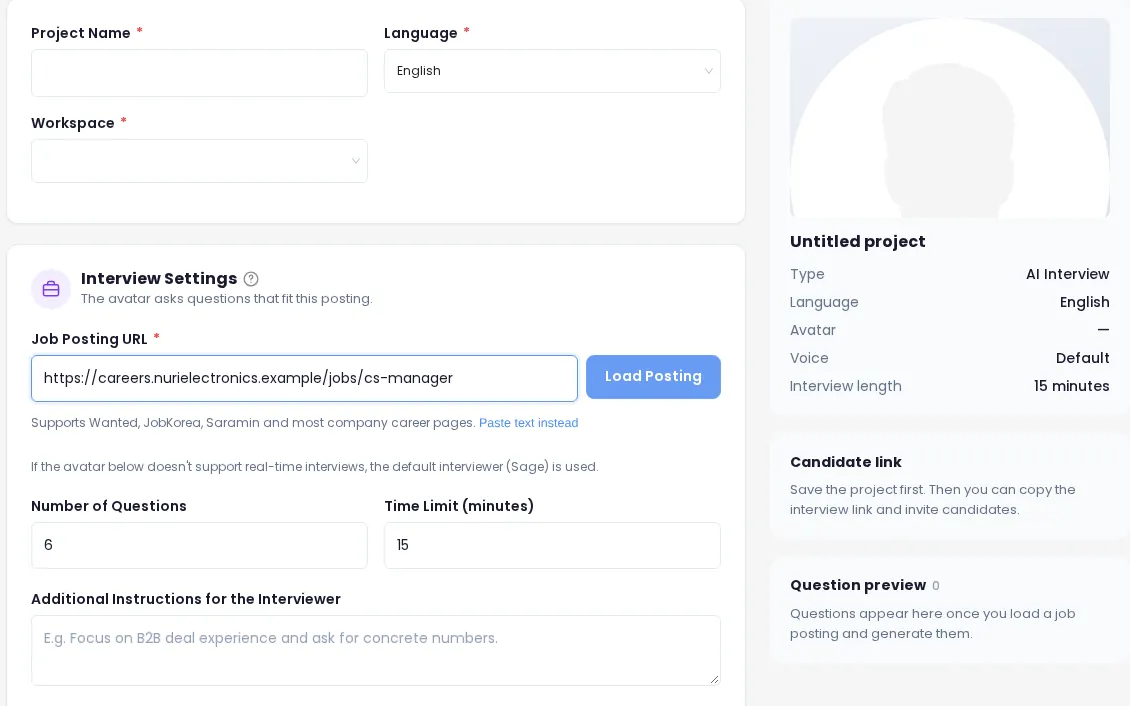
Send the posting text or a public URL with the language, question count and time limit. Preview the draft, then save it with an avatar and voice.
Invite candidates
Create up to 50 personal links per call — emailed or returned to you — with an expiry of 3, 7, 14 or 30 days. Or create one open link for a job post.
Track progress
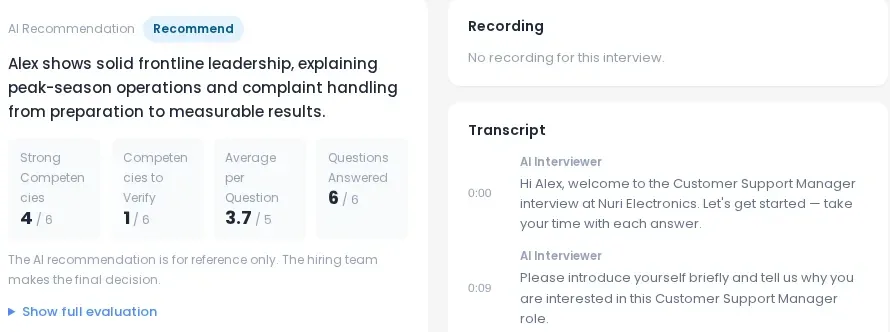
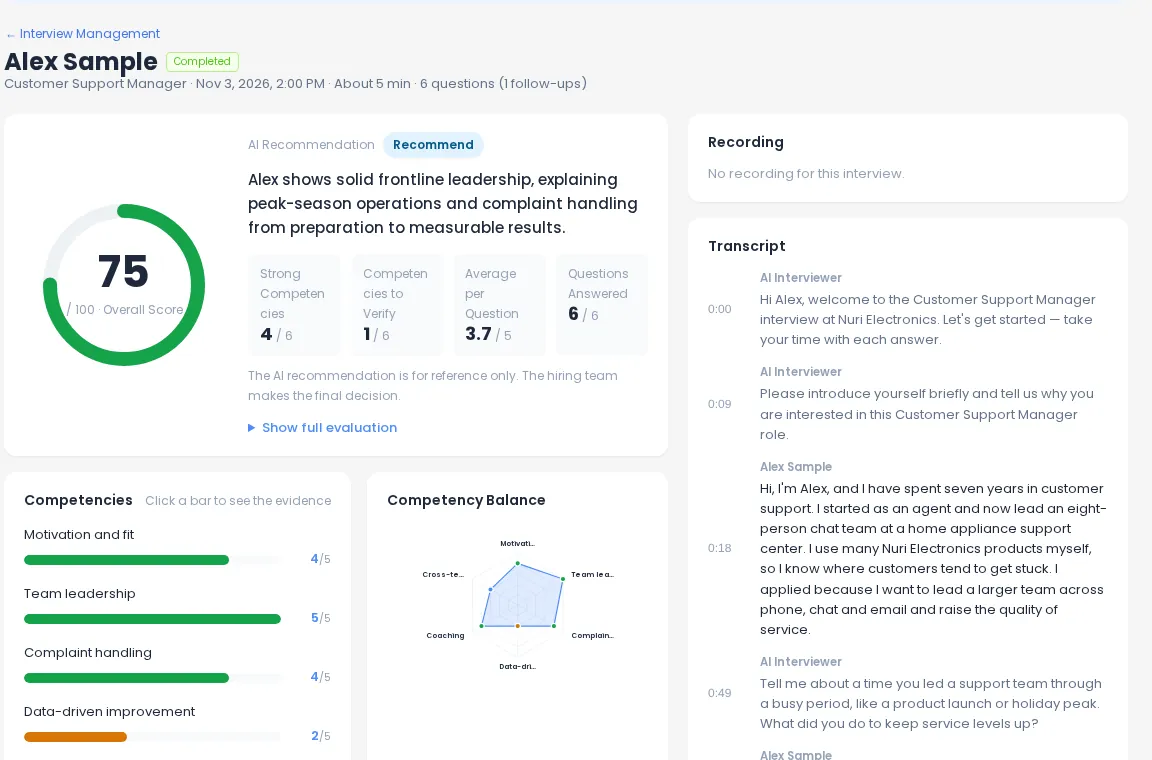
List candidates by status (invited, in progress, completed and more) and sort by recency, score or recommendation.
Read reports
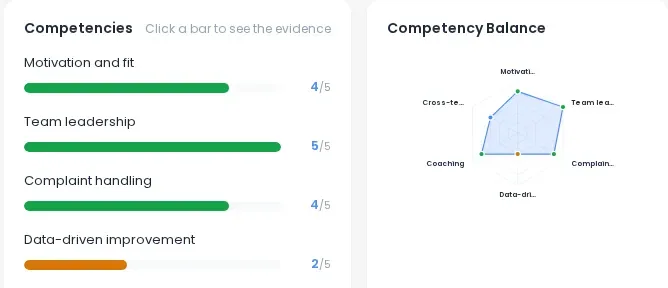
Get the summary, competency scores, strengths, concerns, overall score and recommendation, with the transcript and recording when you ask for them.
Record decisions
Write pass, fail or hold back to AI Interview so your team sees the same decision in the dashboard.
Send reminders
Nudge candidates who were invited but haven’t finished.
Reference
Eight operations, same names in REST and MCP
REST base path / · MCP endpoint / on the AI STUDIOS app.
| Tool / operation | REST endpoint | What it does | Scope |
|---|---|---|---|
list_ | GET / | List interviews with invite, pending and completed counts | learning:read |
create_ | POST / | Build an interview from a job posting (text or URL); preview as a draft, then save | learning:write |
get_ | GET / | Job summary, questions, time limit, invite counts and the open link | learning:read |
invite_ | POST / | Create personal links (optionally emailed) or one open link | learning:write |
list_ | GET / | Candidates with status, overall score, recommendation and decision | learning:results |
get_ | GET / | Competency scores, strengths, concerns; optional transcript and recording | learning:results |
set_ | PATCH / | Record pass, fail or hold for a finished interview | learning:write |
send_ | POST / | Nudge invited candidates who haven’t finished | learning:write |
Typical flow
From job opening to decision
- 1
Create the interview
create_withinterview draft=returns the generated questions to review. Call again withtrue draft=, an avatar and a voice to save it.false - 2
Invite candidates
invite_in personal mode returns one private link per candidate, or emails it withcandidates send_. Open mode returns a shared link.email= true - 3
Wait for results
list_withcandidates status=andcompleted sort=shows who has finished and how they did.score send_nudges the rest.reminders - 4
Pull the report and decide
get_returns the evaluation; addcandidate_ report include_ortranscript include_when needed.recording set_records your call.candidate_ decision
MCP for AI agents
Let an AI agent run the routine parts
The MCP server is a remote, stateless server over Streamable HTTP. An agent can list your open roles, invite a batch of candidates from a spreadsheet, check who finished, and summarize the top reports for you — using the same eight tools and the same permissions as the REST API.
- Standard MCP methods: initialize, tools/list, tools/call, ping
- The server tells agents the typical order of calls
- Every call acts in your current workspace and needs owner or admin rights
REST for your ATS and scripts
Predictable JSON, documented in OpenAPI
Endpoints use plain IDs returned by earlier calls, cursor pagination and JSON bodies. An OpenAPI 3.1 spec is generated from the same definitions as the MCP tools, so the two never drift apart.
- Errors come back as application/problem+json with a request ID
- Rate limits apply per key, with Retry-After when you hit them
- Recording URLs in reports expire after 10 minutes
Access & security
Scoped keys, workspace permissions
API keys with scopes
Authenticate with an AI STUDIOS API key as a Bearer token. Read, write and results access are separate scopes.
Owner or admin only
Calls act in your current workspace and require a workspace owner or admin. A company (team) account is required.
Safe testing
Test keys never send email, so you can try invites and reminders without contacting real candidates.
Integrations
Need webhooks or a deeper ATS integration?
Today the API is pull-based and there are no one-click ATS connectors. Enterprise includes ATS integration support; ask sales about SSO, an SLA or data location requirements.
Frequently asked questions
Which plans include the API and MCP?
The REST API and MCP server are included from the Hiring Team plan ($179/month, or $143/month billed annually) and in Enterprise.
How do I authenticate?
With an AI STUDIOS API key sent as a Bearer token. Keys carry scopes (learning:read, learning:write, learning:results), and the calls act in your current workspace as a workspace owner or admin.
Are there webhooks for finished interviews?
Not at the moment. Use list_candidates filtered by status=completed to pick up finished interviews. If you need event-based delivery, talk to us about Enterprise.
Do you have native integrations with ATS platforms?
There are no built-in, one-click ATS connectors today. The REST API is designed so your ATS or scripts can create interviews, invite candidates and read reports. Enterprise plans include ATS integration support.
Can I test without emailing real candidates?
Yes. Test keys never send email: invite with send_email=false to get the links back instead, and reminders are refused in test mode.
Which AI agents can use the MCP server?
Any MCP client that can connect to a remote server over Streamable HTTP with a Bearer token. The server exposes the same eight tools as the REST API.
Build your first-round pipeline
Start free to try the product, then move to Hiring Team when you’re ready to connect it.