
Interview integrity
Signals your team can check, not verdicts
In a one-way video interview, nobody is watching live. AI Interview records simple, explainable signals — face not visible, looking away, more than one face, leaving the screen, pasting — and puts them next to the recording so your team can look for itself.
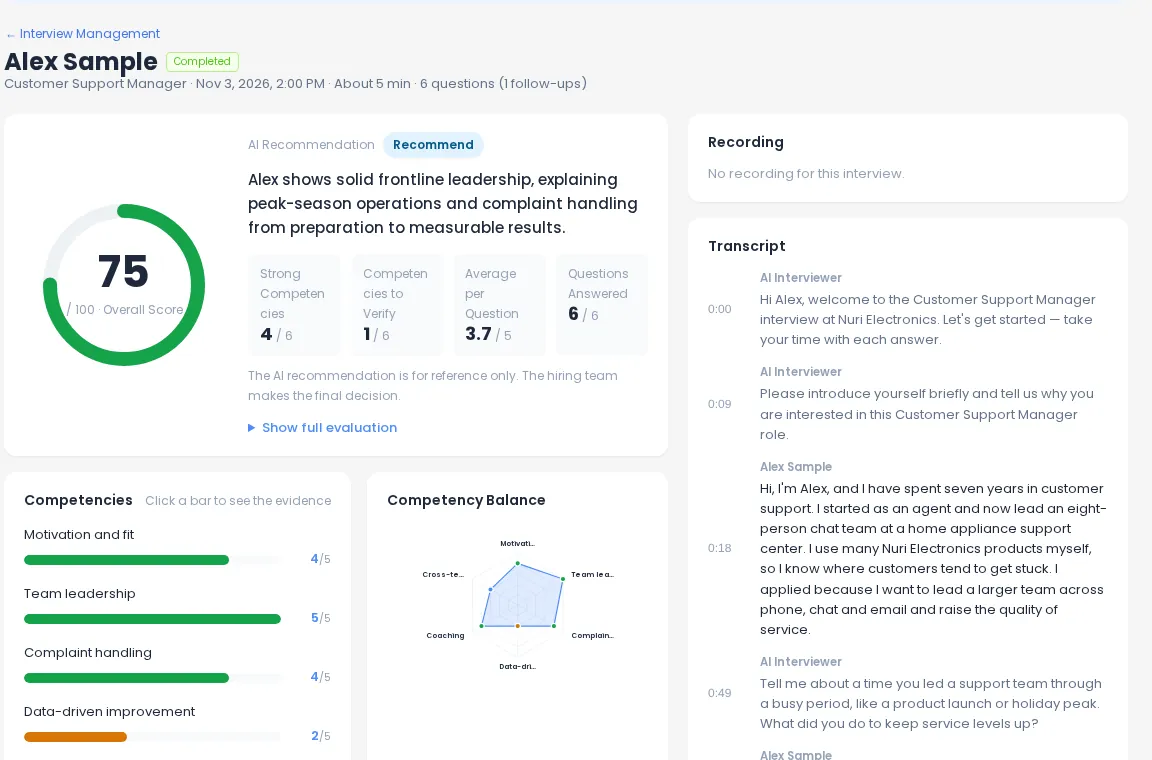
What gets recorded
Two groups of signals
Face and gaze reference metrics come from the camera. Screen-leave and paste recording is a setting you choose per interview.
Face not visible
Seconds per question when no face could be seen — for example when the candidate stepped away or the camera was covered.
Looking away
The share of time the head or eyes were turned well away from the screen, per question.
Multiple faces
Seconds per question when more than one face was in the frame.
Face not confirmed at start
Flagged when a candidate used “Start anyway” because their face couldn’t be detected before the interview.
Left the screen
How many times, and for how long in total, the candidate switched tabs or windows for a second or more. Hiring Team plan and above.
Pasted
How many paste attempts happened during the interview. Hiring Team plan and above.
At a glance
How each signal is measured
| Signal | How it’s measured | What’s saved | Availability |
|---|---|---|---|
| Face not visible | Face detection in the candidate’s browser | Seconds per question | Shown when measured |
| Looking away | Head angle and eye direction in the browser | % of time per question | Shown when measured |
| Multiple faces | Face count in the browser | Seconds per question | Shown when measured |
| Left the screen | Tab or window switches of 1 second or more | Count and total seconds | Hiring Team+, on per interview |
| Pasted | Paste attempts during the interview | Count | Hiring Team+, on per interview |
During the interview
Firm where it matters, quiet everywhere else
- 1
Before the start
The interview starts once the candidate’s face is visible. If detection keeps failing because of lighting or glasses, a “Start anyway” button appears after a short wait so no one gets stuck — and the report notes it.
- 2
If the face disappears
After about five seconds without a visible face, the candidate sees a prompt to sit in front of the camera. The interview keeps going; it doesn’t stop or restart.
- 3
Gaze and extra faces
Candidates are not warned or interrupted for looking away or for a second face. These are only counted for the report, so nervous candidates aren’t thrown off.
- 4
Screen-leave and paste
When you turn this on, candidates are told on the start screen. Changes apply to interviews started after you save the setting.
In the report
Read the signal, then watch the moment
Reference metrics are broken down by question, so you can jump to that part of the recording and the timestamped transcript and see what actually happened — a glance at notes, a family member walking past, or something worth asking about in the next round.
- Per-question table with totals for face, gaze and multiple faces
- Screen-leave count and time, and paste count, on the same report
- Team comments and the hiring decision recorded per candidate
Privacy by design
Measured on the candidate’s device, saved as numbers
No video for face checks
Face and gaze are analyzed inside the browser. Only the numbers are saved, not video frames.
Told up front
Candidates are told on the start screen what is measured before they begin.
Limits stated in the report
The report notes that lighting, glasses or camera angle can affect results, and that notifications or other apps can count as leaving.
Good practice
How teams use integrity signals well
- Tell candidates in your invite that the interview is recorded and what is measured
- Look at the recording before drawing a conclusion from any number
- Treat a signal as a question to ask in the next round, not as a result
- Use the same settings for every candidate in a role so reports are comparable
- Check your local rules on automated tools in hiring before you roll out
Frequently asked questions
Does AI Interview reject candidates automatically based on these signals?
No. Every signal is labeled “for reference only — not used in the hiring decision.” Signals don’t change scores and don’t screen anyone out. Your team decides what, if anything, they mean.
Is candidate video sent anywhere to check the face and gaze?
No. Face position and gaze are measured inside the candidate’s browser, and only the resulting numbers are saved. The interview recording itself is a separate thing the candidate agrees to on the start screen.
Which plan includes screen-leave and paste recording?
Screen-leave and paste recording is part of the Hiring Team plan and above, and you turn it on per interview in the interview settings. Face and gaze reference metrics appear in reports when they were measured.
Do candidates know they are being measured?
Yes. The start screen tells candidates that face and gaze information is recorded as reference numbers. When screen-leave and paste recording is on, they also see a one-line notice before they start.
Can the signals be wrong?
Yes, and the report says so. Lighting, glasses or camera angle can affect face and gaze numbers, and a notification or another app can count as leaving the screen. That is why they are shown next to the recording for a person to judge.
Run first rounds you can stand behind
Scores with evidence, recordings and reference signals — with the decision left to your team.